
Geometry Dash APK for Android: Installation Guide
Want to play Geometry Dash on Android? The official paid game is available from Google Play. A separately distributed APK is an Android installation package; its publisher, the latest 2.208 version, and modifications depend on the exact file.
This guide explains the official store route and manual APK installation. It covers installer permissions, package checks and common errors without certifying a third-party download.
Before replacing an existing copy, confirm that your progress has saved successfully. Check compatibility for your exact device and package instead of relying on a generic Android minimum.
For the official game, open the Google Play link below. If you assess a separate package, complete the checks before allowing its installation.
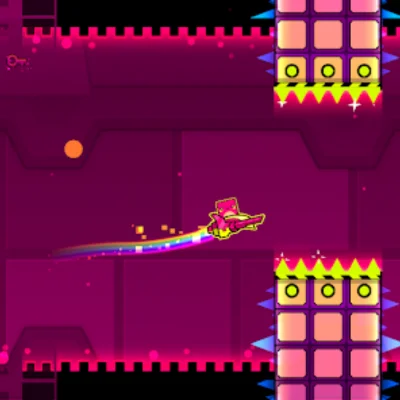
Choose an Official Android Download or Check an APK
Use RobTop’s Google Play listing for the official release. Before using a separate APK, identify its publisher, exact version, signature and Android requirement. This page has not independently certified the previously linked package.
How to Install Geometry Dash APK on Android Step-by-Step
The Google Play route uses the store’s installation process. The four steps below explain how to download Geometry Dash APK for Android and install it after you have checked its source and backed up your progress.
Allow the Correct Installer:
Android may require permission for your browser or file manager to install unknown apps. Grant it only after checking the package; the settings path varies by device.
- Open Settings on your Android device.
- Search Settings for Install unknown apps; wording varies by Android version.
- Look for Install unknown apps or Unknown sources.
- Select the browser or file manager you’ll use to open the APK.
- Allow that installer only when you are ready to install the checked file.
- After installation, you can disable this permission again for added security.
Check the Geometry Dash APK File:
Record the exact source and release before opening the package. Use the package-verification checklist to check identity, signatures and backup requirements.
- Download only after identifying the project or publisher and its release page.
- Wait for the download to complete do not interrupt the process.
- Compare any published SHA-256 hash with the downloaded file; size alone cannot prove authenticity.
- If the file appears incomplete, delete it and download again.
Install the APK File:
With the APK downloaded, you can now install it directly from your device’s file manager.
- Open the Files or My Files app on your device.
- Navigate to the Downloads folder.
- Locate the Geometry Dash APK file and tap it.
- Read the installation prompts and keep Play Protect enabled. Investigate warnings before proceeding.
- Allow installation to finish; the time depends on your device and the package.
Launch and Start Playing:
Once installation finishes, you’re ready to jump into the action. The game will appear on your home screen or app drawer.
- Tap Open on the installation confirmation screen.
- Alternatively, find the Geometry Dash icon on your home screen or app drawer.
- Review requested permissions and stop if access does not match the app’s stated function.
- Confirm the version and saved progress before relying on the new installation.
Official Android Features and Third-Party Build Limits
The official full game includes the editor and Practice Mode. These features do not require a modified APK, including the mod menu version. A third-party build’s features, online access and save behavior need separate verification.
Offline Access
Local stages can be played offline. Browsing community levels, downloading missing songs and transferring cloud data require internet. Check that the material you need is already downloaded.
Full Level Editor
The official full game includes a level editor for building and sharing stages. Online sharing requires a connection. Do not assume an unidentified modified build preserves the same editor or account behavior.
Ad-Free Gaming
The paid full game is ad-free; Lite is a separate, ad-supported edition. An APK filename does not prove that a third-party package removes ads or matches the paid release.
Custom Soundtracks
Community levels can use downloaded music. Song availability and online features depend on the game edition and release; prepare required downloads before offline play.
Practice Mode
Practice Mode uses checkpoints to help you repeat difficult sections. It is part of the official game, rather than a benefit exclusive to a separately distributed APK.
Device and Level Performance
Performance depends on your device, game release and level complexity. Try a simpler stage and Low Detail Mode when diagnosing lag. This page does not guarantee 60 FPS on older devices.
Google Play Installation vs. a Separate APK
The main difference is distribution and update responsibility. Google Play supplies the official listing; a separate package needs its own source, signature and compatibility checks.
Feature |
Google Play Version |
Separate APK |
|---|---|---|
| Cost | Paid (one-time purchase) | Price and licensing depend on the source |
| Updates | Automatic through Play Store | Follow the exact publisher’s update process |
| Offline Play | Yes | Depends on the build and downloaded content |
| Level Editor | Full access | Verify the exact build |
| Cloud Sync | Official account Save/Load; confirm success | Account and signature compatibility vary |
| Security | Official RobTop listing and Play Protect | Check publisher, signature, hash and scan evidence |
Check Android Compatibility Before Installing
Use the current store listing for the official app and the exact release documentation for a separate APK, including older versions of Geometry Dash. Download size, installed size and space for saved levels or songs are different measurements.
Component |
What to Check |
Practical Action |
|---|---|---|
| Android Version | Minimum version for the exact release | Check compatibility on your device |
| RAM | No verified universal minimum here | Test a simple stage before heavy levels |
| Storage | Download and installed sizes differ | Leave room for songs and saved levels |
| Processor | Package architecture and device support | Read the publisher’s requirements |
| Internet | Installations, downloads and online features | Prepare local content before offline play |
Common Android Installation Issues & Fixes
Check available storage, file completeness, Android compatibility and any signing conflict. Back up progress successfully before considering removal of an existing copy. Do not uninstall a working game merely because an update failed.
Tips for Smooth Geometry Dash Gameplay on Android
🔋 Close Background Apps
Close unnecessary background apps and compare the same stage again. This may help on a busy device, but it does not guarantee a stable frame rate.
🎧 Use Headphones
Compare speakers and headphones if timing feels delayed. Bluetooth audio may add latency; choose the setup that gives you the most consistent cues.
📱 Enable Performance Mode
If your device has a gaming mode, compare its settings on the same stage. Watch temperature and battery use; a mode name does not guarantee better performance.
🔄 Keep Your Device Updated
Use system updates supported by your device manufacturer. Read the package’s compatibility information before replacing a working installation.
🧘 Practice with a Calm Mind
If frustration makes your inputs less deliberate, take a break and practise one short transition. Judge improvement by that section rather than a promised reaction-time boost.
⚙️ Adjust Game Settings
Try Low Detail Mode on a demanding level and compare the result. Change one setting at a time so you can identify what helps on your device.
Choose the Route That Matches Your Device
Use Google Play for the official Android game. Manual APK installation is a separate route whose source, permissions, compatibility and update method need checking.
Keep a confirmed backup before changing packages. If a warning or signature conflict appears, investigate it rather than deleting a working installation or disabling protection.
To install Geometry Dash on any device, read the PC guide or iPhone and iPad guide. Android APK files do not install as native iOS or desktop apps.