
Geometry Dash APK: Android, PC & iOS Guide
An APK is an Android installation package; it cannot run on an iPhone. Compare the paid official game, free Lite edition, and third-party modified builds before choosing a download.
v2.208 latest update
10M+ Google Play installs
iOS 12.0+ supported
Table of Contents
What Is Geometry Dash APK?
It is the install file Android uses to install the full Geometry Dash game. RobTop Games, led by Robert Topala, released Geometry Dash in 2013, and it still draws new players today.
You guide a small icon through spikes, gaps, and moving traps, and every jump lands on the beat.

Switch Forms
You switch forms as you play:
- Cube, ship, ball, UFO, wave, robot, spider, and swing
- Each form moves differently, so you change your timing every time the level changes your form.
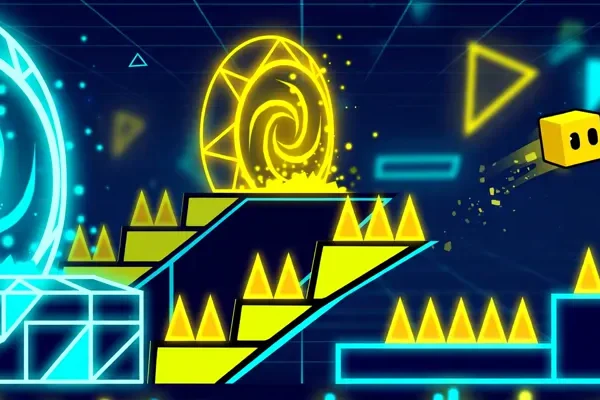
Levels
The game includes 22 classic campaign levels, a platformer mode, and thousands of community levels.

What APK Means
APK does not mean free, modified, or unsafe. APK is simply the file format Android uses to install apps. The full game is a paid one-time purchase on the store, while Geometry Dash Lite is free.
Warning: when a site promises the full paid game for free as a geometry dash apk file, treat that offer as a warning sign, not a bargain.
Geometry Dash APK suits players who like short, intense challenges. Most levels last a few minutes, but hard levels can take days of practice.
The music drives the whole experience: you learn a level by feeling its beat, not by memorizing a map.
Level Difficulty: What the Ratings Mean
Difficulty labels describe the challenge, not separate game modes. Official classic levels range from Easy through Demon. Start with easier stages while you learn the controls.

Easy
2 stars

Normal
3 stars

Hard
4-5 stars

Harder
6-7 stars

Insane
8-9 stars

Demon
10 stars
Star ranges are the standard rating scale for rated levels. RobTop’s official levels carry their own fixed star values, like the four shown below.
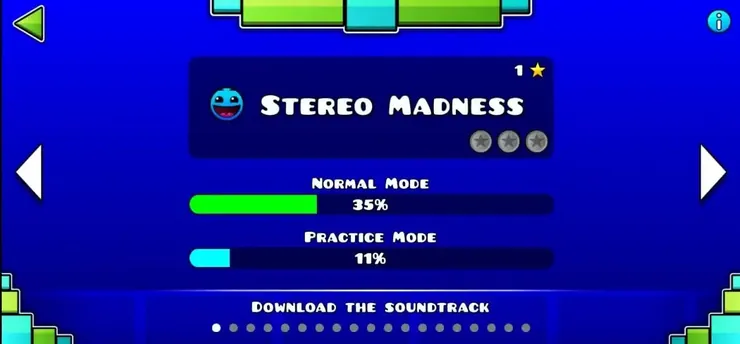
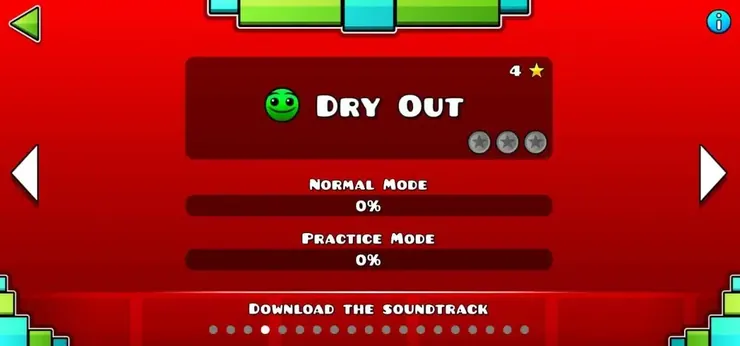
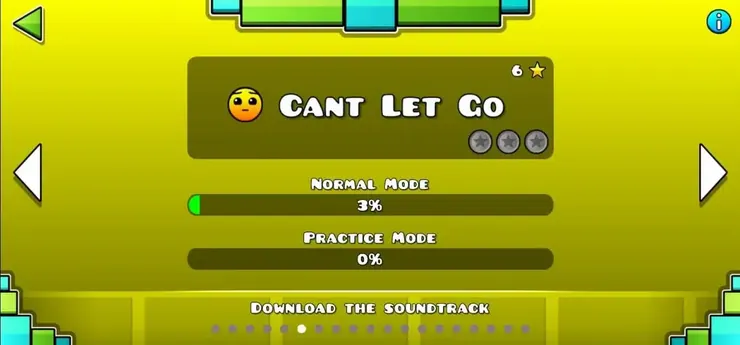
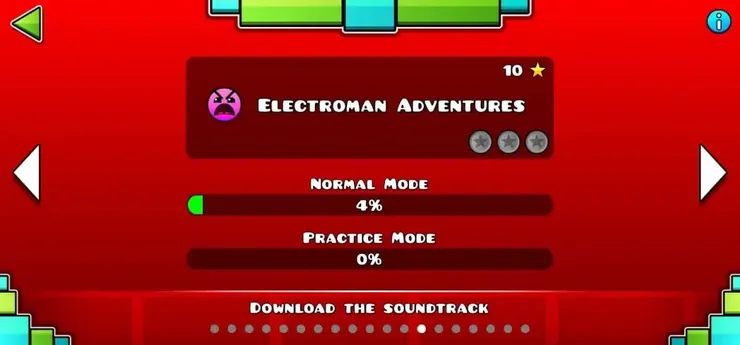
Community Demon levels have additional difficulty labels. Judge your progress by the sections you can complete consistently, rather than the label alone.
Features Included in the Official Game
The following features belong to the official full game. They do not require a modified APK. Their availability in a third-party build depends on that build.
Full Level Editor
Use the Level Editor to build a short playable section before adding decoration. Test jumps, transitions, and checkpoints early. A readable layout helps you spot problems before the level becomes harder to edit.
Customization
Icons and colors let you change your appearance. Check an item’s unlock requirement in the game before assuming it is available. Cosmetic changes do not automatically improve movement or make a difficult section easier.
Rhythm-Based Gameplay
Music can help you remember a pattern, but watch the obstacles as well. Some sections need precise inputs between beats. Learn where the next action happens instead of tapping automatically with every sound.
Community Level Browser
Browse community levels by difficulty and other available filters. Save a level you want to revisit. New downloads, song downloads, and online browsing need a connection, even when local stages work offline.
Readable Visuals
Effects and decoration can make a level harder to read. If a stage offers a low-detail option, try it when visibility or performance becomes a problem. Results depend on the level and your device.
Practice Mode
Practice Mode lets you retry sections using checkpoints. Place them before a difficult transition rather than inside a position you cannot escape. Then test the same section again without checkpoints.
Music and Timing
Use a comfortable music volume so you can hear timing cues. If wireless audio feels delayed, compare it with the device speaker or another audio setup before changing your gameplay settings.
Completion Progress
A run’s completion percentage helps identify where you keep failing. Record the troublesome section and practice its entry. Completing the section once is useful; completing it repeatedly shows whether the timing is reliable.
Performance Settings
Performance depends on hardware, level complexity, and settings. Close unnecessary apps and compare several levels before blaming the installation file. A modified package does not guarantee higher frame rates or lag-free gameplay.
Friends and Leaderboards
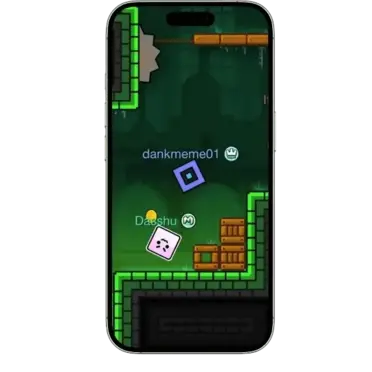
The official game has social features and leaderboards. Comparing progress with friends is different from playing a live multiplayer match. Any third-party multiplayer feature needs its own compatibility information.
Gravity Changes
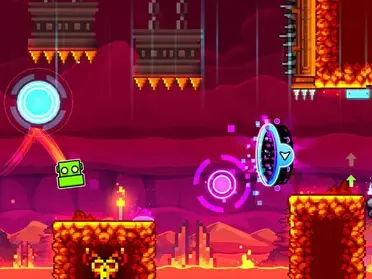
Gravity changes alter the direction your character moves. Watch the transition and practice the first action afterward. Different character forms respond differently, so the same input does not always create the same movement.
Rewards and Unlocks
Achievements and other game requirements unlock items as you progress. Check the requirement attached to an item. Stars, coins, and other collectibles are separate statistics rather than interchangeable rewards.
Online Challenges
Daily levels and other online challenges offer additional stages. Their availability depends on the edition and connection. Finish a manageable challenge before moving to something harder instead of treating every new stage as a beginner level.
Level Publishing
Publishing a custom level is different from saving it locally. Test the level, check the game’s verification requirements, and confirm that your account can upload. An editor’s availability does not guarantee successful publishing.
Back Up Editor Work
Keep important editor work backed up before changing the installation. Large projects can complicate saving. If a cloud backup fails, resolve the error before uninstalling the game or assuming the project is stored online.
Character Forms vs Difficulty
Separate character forms from difficulty labels. Cube, Ship, Ball, UFO, Wave, Robot, Spider, and Swing describe movement types. Easy, Hard, Insane, and Demon describe difficulty.
Troubleshooting Geometry Dash APK Problems
Most geometry dash apk install problems have simple causes. Work through these fixes in order before you reinstall anything.
- Fix 1: Install blocked
- Fix 2: Update fails
- Fix 3: Progress disappears
- Fix 4: Lags or crashes
- Fix 5: Level will not load
- Fix 6: Will not open
- Fix 7: Will not sync
Install blocked on Android
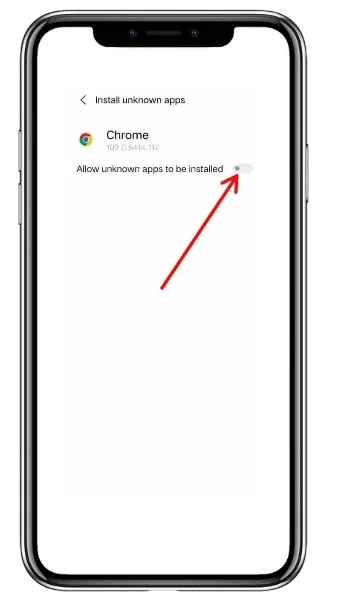
If your Android device blocks the install, check the Install Unknown Apps permission for your browser. Android blocks manual installs until you allow that one permission, and the setting lives in your device settings, not in the game.
Allow it for your browser only, then try again.
Update fails
If an update fails, check your free storage first. Updates need room to download and unpack, and a full device stops them without a clear error.
Free a few hundred MB, then retry the update.
Progress disappears after an update
If your progress is gone after an update, first check that you are signed into the same account you used before. Updates sometimes restore the wrong account, and a different account starts with no saved progress.
Check the Save before you reinstall or clear data.
Still missing? Reinstall only after you confirm your Save. A fresh install without a Save loses local progress.
Game lags or crashes
If the game lags or crashes, close other apps and restart your device first. This frees memory and clears the temp files that slow the game down.
If it keeps crashing, free up storage and restart again before you try anything else.
Community level will not load
If a community level will not load, check your connection first and try the level again. A weak or dropped connection stops the level data from loading, even when the game itself opens fine.
Retry the level once you have a stable connection.
Game will not open after an update
If the game will not open after an update, restart your device and try again. If it still will not open, clear the app cache and try once more.
Do not reinstall before you check the Save, or you may lose local progress.
Important – Delete karne se pehle ye zaroor check karein: A fresh install without a Save loses local progress, so check the Save before you delete anything.
Progress will not sync between devices
If your progress will not sync between devices, check two things: you use the same account on both devices, and you Save on the first device before you Load on the second.
Save first, then Load on the other device.
Geometry Dash APK Latest Version
The 2.2 update family is current, and players often call this release the geometry dash 2.2 apk.
- Update 2.2 — current familyDecember 2023
- 2.207November 2024
- 2.208 lineJanuary 2026
Check before you install
If you search for the geometry dash apk latest version, remember: exact build numbers differ by platform and store. The iOS App Store listing showed 2.2091 in late October 2026, so check the listing on your own device for the exact build before you install or update.
Old version on an older device
If you want a geometry dash apk old version on an older device, our old versions page explains what changed and what to watch for. An old version download makes sense only when your device cannot run the current build, and you should still back up your progress first.
Note: For the latest version download, use the store listing on your device, not a filename on a random site.
The story so far
Version History
Version numbers can look confusing. This is the short story behind them, in order.
2.0/2.1
Earlier major updates
Earlier major updates (2.0 and 2.1) came years before 2.2, and each one added levels, forms, and editor tools that later builds kept.
2.2
The biggest jump in years
Update 2.2 was the biggest jump in years: it added the platformer mode, new levels, and a large set of editor tools. That is why many players still judge other updates against it.
2.207 · 2.208 · 2.2091
Later patches, not new games
Later patches fixed bugs and polished the release, which is why you see numbers like 2.207, 2.208, and 2.2091 instead of one single number.
Stores
Why stores show different numbers
Version numbers also differ by platform because each store approves and ships builds on its own schedule. Apple may show 2.2091 while another store still shows an earlier 2.2 build, and both can be correct for their platform.
Judge a version by the store listing on your own device, not by the newest number you saw in an article.
Keep one habit for every update
- 01
Read what changed.
- 02
Back up your Save.
- 03
Install over your old version.
That habit protects your stars, your completed levels, and your created levels in one move. Updates matter beyond new levels: each major update brings editor tools, bug fixes, and platform improvements, and community levels often need the current build to load correctly. Players who stay on very old versions slowly lose access to new community content, because creators build with the newest tools. A geometry dash apk update is not just a number change; it keeps your game compatible with the community you play in.
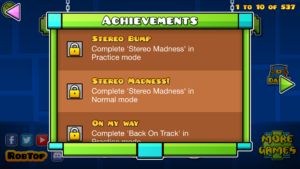
Download Geometry Dash APK on Your Device
Pick your device first: the right route changes with the platform. The official store route gives you automatic updates, a verified file, and full access to your account and community levels.
This section covers the geometry dash apk install route for Android, PC, and iPhone.
Start with our Android download guide and install through Google Play when you can. Google Play handles the download, the check, and future updates.
This geometry dash apk for android download route is the safest path for most players.
If you need the game without Play Store access, check three things before you open any file:
- The source has a clear reputation
- The version number matches the release you want
- The file size looks plausible
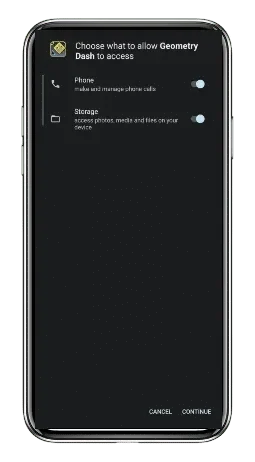
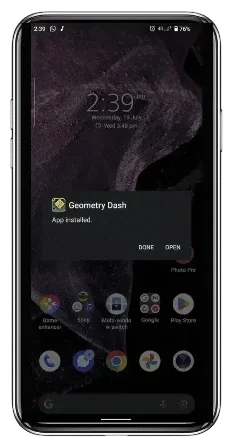
Then allow Install Unknown Apps for your browser only, install, and scan with Play Protect. Back up your progress before you replace any older install.
Android players often ask why a geometry dash apk download exists at all when Google Play exists. The answer is simple: some regions and devices lack full Play access, so players look for the install file directly.
That need is real, and so is the risk, which is why the checks above matter every single time.
For PC, start with our Geometry Dash APK for PC guide. You have two clean routes:
- Buy and play the game on Steam for Windows and macOS, which gives you the full game with automatic updates
- Or run the Android version inside a PC emulator such as BlueStacks or LDPlayer
A geometry dash apk pc setup through an emulator means you install the Android game inside the emulator, then play it with your keyboard or mouse. Steam suits most players better, because it needs no extra software and updates itself.
An APK file is Android’s format, so you never install it directly on Windows or macOS. Any site that tells you to run an APK file straight on your PC is misleading you.
Use Steam or an emulator, and skip anything else.
iPhone and iPad do not install APK files at all. A Geometry Dash iOS install runs through the App Store, which delivers the correct build for your device and handles updates for you.
Our Geometry Dash APK for iOS guide covers the details.
A geometry dash apk ios download does not exist as a real file, because Apple devices use a different install format. Sites that offer you an “iOS APK” are selling you a misunderstanding at best.
IPA files from outside the App Store carry real limits:
- Apple can revoke them
- Updates stop arriving automatically
- Account features can break
Weigh those limits before you touch an IPA shortcut.
Level Editor, Practice Mode and Community Levels
The level editor sets geometry dash apk apart from most mobile games. You build your own levels, test them, and share them with other players, and the 2.2 family added newer editor tools for creators.
Start simple in the editor: place blocks and hazards, test the level yourself, then add decorations and triggers as you learn. Good levels come from testing, not from decoration alone.
Play your level from start to finish before you share it, and fix every unfair jump you find.
Practice mode helps you learn hard parts without restarting the whole level: place checkpoints, repeat the tricky section, and build muscle memory. Use it on every hard level, because it turns impossible sections into learned patterns.
Then browse community levels, save the ones you like, and verify levels before a full run.
Community levels carry difficulty ratings from Easy to Demon, and Demon levels demand serious practice. Start with Easy and Normal levels, build your timing, then climb the ratings step by step.
Our Geometry Dash level editor guide covers building and testing; our practice and verification guides cover the rest.
Sharing your level teaches you as much as building it. Publish your level, read player feedback, and watch where players fail.
Those fail points show you exactly which jumps need fairer spacing or clearer signals. Playing other creators’ levels teaches the same lesson in reverse: notice how good levels guide your eye, and copy those techniques in your next build.
Full Game vs Lite vs Spin-Offs: Which Edition Fits You?
The geometry dash lite apk gives you the cheapest way to test the game: play a smaller set of levels for free, then move to the full game for the editor and full catalogue.
| Edition | Price model | What you get |
|---|---|---|
| Full Geometry Dash | Paid one-time purchase (price shows on the store) | Full game: campaign, platformer mode, editor, community levels |
| Geometry Dash Lite | Free | Smaller selection of levels, a good way to try the game |
| Meltdown, World, SubZero | Separate spin-off games | Own levels and music, separate from the main game |
Geometry Dash Lite suits new players who want a free trial first. You learn the timing, the forms, and the feel of the game without paying anything.
When you want the full catalogue, the platformer mode, and the editor, you move to the full game.
The spin-off games work differently: Meltdown, World, and SubZero each carry their own levels and soundtracks, so treat them as companions, not replacements. They give you more levels in the same style, but they do not unlock the main game’s editor or community catalogue.
Our spin-off guide compares them side by side.
Choose by your goal:
- Free taste: start with Lite
- Complete game with building and community levels: buy the full game
- Finished the main levels and want more: try the spin-offs next
Official Levels and Their Difficulty
The full game’s classic campaign includes 22 levels. For shorter standalone titles, see the Geometry Dash spin-off games. The four original Tower stages form a separate Platformer set; secret and community stages belong to other categories.
The 22 Classic Campaign Levels
Use the difficulty labels below to choose your next classic stage. The 2.2 release notes also describe four Tower stages, which use Platformer controls and form a separate set.
Stereo MadnessEasy
Back On TrackEasy
PolargeistNormal
Dry OutNormal
Base After BaseHard
Can’t Let GoHard
JumperHarder
Time MachineHarder
CyclesHarder
xStepInsane
ClutterfunkInsane
Theory of EverythingInsane
Electroman AdventuresInsane
ClubstepDemon
ElectrodynamixInsane
Hexagon ForceInsane
Blast ProcessingHarder
Geometrical DominatorHarder
Theory of Everything 2Demon
DeadlockedDemon
FingerdashInsane
DashInsane
For Beginners: Your First Week in Geometry Dash
Start your first week with the early campaign levels, not with community Demon levels. Early levels teach you the cube timing, the ship control, and the basic traps one idea at a time.
Rush into hard levels too early, and you will learn frustration instead of timing.
Build three habits in your first week:
- Use Practice mode on every level that stops you twice; checkpoints turn a wall into a lesson
- Create your account early, so your progress saves online from day one
- Play a few community Easy levels each day, because they show you what other players build and how levels flow
A geometry dash apk beginner guide would fail you if it promised fast mastery, so here is the honest timeline: most players need weeks to finish the early campaign, and months to handle harder levels.
That slow climb is the game itself. Enjoy the beat, celebrate each level you finish, and let your timing grow one session at a time.
Track your progress honestly. Note which levels you finished and which ones still stop you, and return to the hard ones after a break.
Fresh eyes beat tired retries, and most players clear a stuck level faster after a day away. A geometry dash apk session of 20 to 30 minutes beats a frustrated two-hour grind, because timing fades when focus fades.
Is Geometry Dash APK Safe to Install?
Yes, when you install geometry dash apk from an official store. Outside a store, safety depends on the source and the file, so run these checks every time:
- Pick a reputable source
- Confirm the version number
- Compare the file size
- Scan with Play Protect before you open it
Searches for a geometry dash mod apk usually point to modified builds, and those carry their own risks:
- They can block your account
- They can cut off community levels from the official servers
- They can break when the next update lands
A site that calls its file verified without showing a version, a source, or a repeatable check has not verified anything.
Modified builds also create a second problem: they split your progress from the official game. Levels, stars, and creations tied to a modified build may not transfer back to the official version, and updates can wipe them without warning.
If you care about your progress, the official route is the only route that protects it.
One more warning sign deserves attention: sites that bundle the game with extra “free” apps, toolbars, or installers. The real game needs no bundle.
If a download adds anything beyond the game itself, stop the install and find a cleaner source.
If you already installed a suspicious geometry dash apk file, act in this order:
- Uninstall the file first
- Run a full device security scan
- Change your game account password next
- Finally, reinstall from the official store and load your account Save
If your progress looks wrong after the clean install, your account Save is the version that counts, so load it before you play anything new.





How to Verify a File Before You Install It
Use these five steps for any geometry dash apk file that comes from outside an official store. They take two minutes, and they catch most bad files.
- Check the source first. A reputable source shows its name, its history, and a way to contact it. Anonymous pages with no history fail this step.
- Match the version number. The file should name the version it carries, and that version should match a real release. Vague labels like “latest” or “new” prove nothing.
- Compare the file size. A real game file has a plausible size for its platform. A tiny file that claims to hold the full game is lying to you.
- Scan the file. Run Play Protect or your device security scan before you open the file, not after.
- Back up before you install. Save your account progress first, so a bad file cannot cost you your progress even if it slips past the other checks.
If any step fails, do not install the file. Find another source, or use the official store route instead.
System Requirements for Geometry Dash APK
Geometry dash apk requirements stay modest, because the game uses simple 2D graphics and small levels. Use the store listing on your device as the final word, since exact numbers vary by platform and build.
| Device | What you need |
|---|---|
| PC (Steam) | Windows or macOS per the Steam listing; about 100 MB of free storage |
| iPhone / iPad | iOS 13.0 or later per the App Store listing; about 187 MB for the app |
| Geometry Dash Lite (iOS) | iOS 15.0 or later per the App Store listing; about 263 MB for the app |
| Android | A device the Play listing supports; a few hundred MB of free storage |
Older devices can still run the game well, because the graphics stay simple. Performance problems usually come from full storage or background apps, not from the game itself.
Free storage space and close heavy apps before you play a hard level, and the game will run smoother.
Watch RobTop’s Official Trailer



Gameplay Screenshot Gallery


Install Checklist
The geometry dash apk system requirements stay light: a few hundred MB of free storage and a device the store supports. Run this checklist before you install or update:
- Free a few hundred MB of storage. Levels, songs, and cache grow after install.
- Check compatibility on the store listing for your device. If the store offers you the Install button, your device supports the game.
- Back up your progress first. Save your account progress inside the game before you update or reinstall geometry dash apk.
- For a geometry dash apk update, install over your old version. Do not uninstall first unless you already hold a backup, because uninstalling can wipe local progress.
- If you switch devices, move your progress through your account Save and Load, and confirm it appears on the new device before you delete anything old.
Your account Save is the single most important habit in this game. Local progress lives on your device, and only your account Save moves it between devices and protects it through reinstalls.
Save before every update, and load after every fresh install.
Our install Geometry Dash on any device guide walks through these steps for all three devices.
Frequently Asked Questions
Is Geometry Dash APK safe for Android?
Yes, when you install it from Google Play or another reputable source. Check the source, confirm the version number, scan the file with Play Protect, and back up your progress first.
Is Geometry Dash APK free?
The full game is a paid one-time purchase, while Geometry Dash Lite is free. Any site that offers the full paid game for free is offering a modified or unverified file, so treat that offer as a risk, not a deal.
What is the latest version of Geometry Dash?
The 2.2 update family is current, and exact build numbers differ by platform. The iOS App Store listing showed 2.2091 in late October 2026, so check the listing on your device for the exact build before you install.
Can I play Geometry Dash APK on PC?
Yes, but you do not install the APK file directly on PC. Buy the game on Steam for Windows and macOS, or run the Android version inside a PC emulator such as BlueStacks or LDPlayer.
Can I install Geometry Dash on iPhone without the App Store?
There is no clean route outside the App Store. IPA files from other sources can lose updates, lose account features, or stop working when Apple revokes them, so the App Store remains the safe route for iPhone and iPad.
How do I update Geometry Dash without losing progress?
Back up first, then update over your old install. Save your account progress inside the game, update without uninstalling, and confirm your progress appears before you delete anything.
Can I play Geometry Dash APK offline?
Yes, the campaign levels in geometry dash apk work offline after install. Community levels, uploads, and account sync need an internet connection, so connect when you want those features.
How do I transfer my progress to a new phone?
Save your account progress on the old device first. Install the game on the new device, load the save from your account, and confirm your stars and progress appear before you remove anything from the old device.
What is the difference between Geometry Dash APK and Geometry Dash Lite?
The APK name covers the full game install file on Android, while Lite is the free edition with a smaller set of levels. Lite lets you try the game; the full game adds the complete catalogue, platformer mode, and editor.
Do I need an account to play Geometry Dash?
No, you can play the campaign without an account. An account protects your progress online and unlocks community levels, ratings, and uploads, so create one before you invest serious time in the game.
Final Take
Geometry Dash APK opens one of the most demanding rhythm games on any device.
Use the official store route for your platform, check the version on your own device, back up your progress before every update, and treat free full-game offers as the warning sign they are.
Pick your device guide next: Android, PC, or iOS; start with Lite for a free trial, or open the level editor guide if you build levels.