
Geometry Dash for iOS Install on iPhone & iPad
Geometry Dash is available for iPhone and iPad through Apple’s App Store. Android APK files cannot run on iOS. Use the official listing to check the seller, current price and compatibility for your device.
This guide explains App Store installation, offline and online features, progress transfer and common compatibility questions. Third-party IPA sideloading is a separate route with file-specific signing and security requirements.
Is Geometry Dash Available for iOS?
The official App Store listing from RobTop Games AB supports compatible iPhones and iPads. Check the listing on your device before buying. This page does not claim support for every model or for iPod touch.
An Android APK cannot be installed on an iPhone. An IPA is an iOS app package, but possession of one does not establish a legitimate source, a working signature or compatibility with your device.
What to Expect from Geometry Dash on iOS
The official full game includes local stages, Practice Mode and a level editor. Performance depends on the device, iOS version, game release and level complexity; no single frame-rate promise applies to every setup.
Performance Depends on Your Setup
Test a simple stage before a demanding community level. Compare settings and device temperature when diagnosing stutter. Meeting the App Store minimum does not guarantee the same performance in every level.
Touch-Optimized Controls
Classic stages use touch inputs for actions such as jumping and flying. Platformer controls work differently. Compare your touch and audio setup before blaming an isolated missed input.
Offline Play Anywhere
Local official stages can be played offline. Community browsing, missing-song downloads and cloud transfers need internet. Download the levels and music you need before travelling.
Custom Levels & Editor
The level editor is fully available on iOS. You can build your own stages, add music from Newgrounds, and share your creations with the Geometry Dash community through the online level browser.
Paid Full Game vs. Free Lite
The paid full game and free Geometry Dash Lite are separate editions. The full game is ad-free; Lite contains ads and has a smaller feature set. Compare the listings before choosing.
Regular App Store Updates
The official app receives updates through the App Store. Check the available release and update notes on your device; store review does not guarantee that every release is free of bugs.
Vibrant Visuals
Level effects and screen layout vary by stage and device. Check visibility and controls on your own screen instead of assuming that every supported model behaves identically.
Beat-Synced Audio
Music can help you learn a stage’s timing. Bluetooth audio and other settings may change perceived delay; compare speakers or wired audio when troubleshooting.
How to Download Geometry Dash on iOS
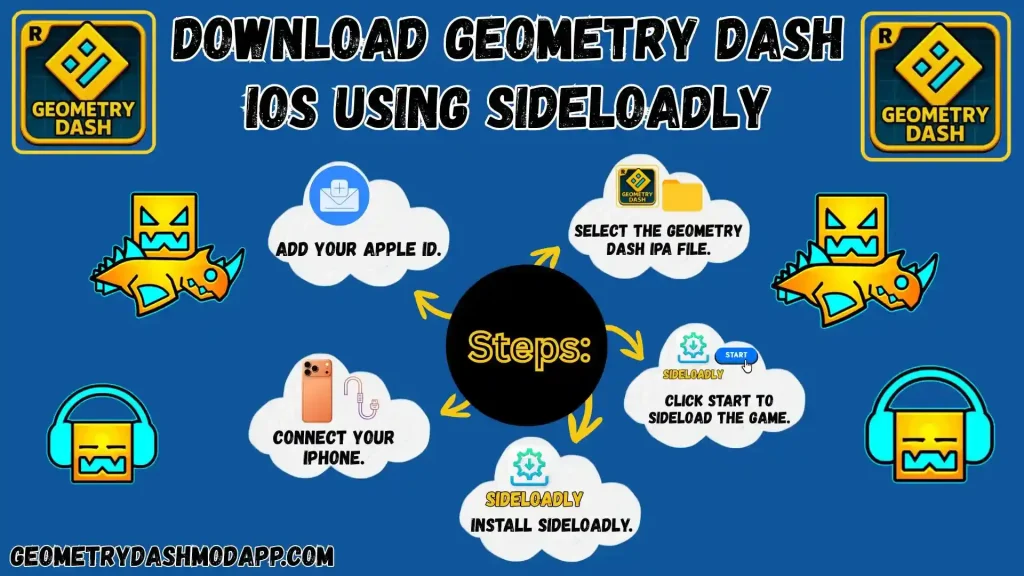
The App Store listing is the official installation route. IPA sideloading is third-party distribution; requirements vary by tool, Apple account type, region and the exact file. It does not turn an Android APK into an iOS app.
Method 1: Download from the App Store (Recommended)
- Open the App Store on your iPhone or iPad and search for “Geometry Dash.”
- Check that the seller is RobTop Games AB. Open the current price button to see the cost and availability for your country before purchasing.
- Review the listing’s compatibility information and complete the App Store installation. Store updates and third-party IPA installations follow different processes.
- Open the app after installation. If transferring progress, confirm a successful Save on the previous device before using Load on this one.
Third-Party IPA Sideloading: Checks Before Proceeding
- Identify the file: An IPA is an iOS package. Record its publisher, exact version and release source; this page does not certify any third-party Geometry Dash IPA.
- Read current tool documentation: Tools such as AltStore and Sideloadly use different installation and signing workflows. A tool’s reputation does not verify an unrelated IPA.
- Check account and platform requirements: Confirm the documented device, computer, region and Apple account requirements before entering account details into a tool.
- Check integrity: Compare a published cryptographic hash with the file you received when available. Approximate file size does not prove authenticity or rule out alterations.
- Protect progress: Confirm your game backup before replacing an installation. Read the tool’s current instructions rather than following one generic drag-and-drop process.
- Review trust prompts: Understand which developer or app you are trusting. Stop if the signing identity or requested access cannot be explained by the documentation.
- Check renewal: Signing expiry and refresh requirements depend on the distribution route and Apple account. Read the tool’s current renewal rules before relying on a sideloaded app.
Check iPhone and iPad Compatibility
Before Purchasing:
Open the App Store listing on your device. Its compatibility section is the source for the current operating-system requirement; supported hardware, storage and performance should be checked separately.
Requirement |
Source to Check |
Practical Action |
|---|---|---|
| Operating System | Current App Store compatibility section | Check the requirement on your device |
| Device | App Store availability for your model | Do not rely on a generic model list |
| Storage | Listed size plus installation space | Leave room for levels and songs |
| Internet | Downloads, browsing and cloud transfers | Prepare local content for offline play |
Pros and Cons of Playing Geometry Dash on iOS
✅ Pros
- Local stages and Practice Mode in the full game
- Touch controls; response depends on your setup
- Local stages available offline
- Ad-free paid full game; Lite is separate
- Full level editor and custom level support
- Official updates through the App Store
- Store listing identifies the official seller
❌ Cons
- The full game is paid; free Lite has fewer features
- APK files from Android won’t work on iOS
- IPA signing and renewal vary by distribution route
- Compatibility and performance vary by device and release
- Third-party mods require separate source and compatibility checks
Frequently Asked Questions
The full Geometry Dash game is paid. Geometry Dash Lite on the App Store is a separate free, ad-supported edition with fewer features. Check the current listings for prices and availability.
Final Verdict
For iPhone or iPad, start with the official App Store listing. Compare the paid full game with free Lite, and check price and compatibility before choosing.
Before transferring progress, confirm a successful account Save on the old installation. Keep it until the new device has loaded the intended data.
If you consider an IPA, assess its publisher, signature and installation requirements separately. No filename, expected size or generic guide establishes that a third-party build matches the official app.